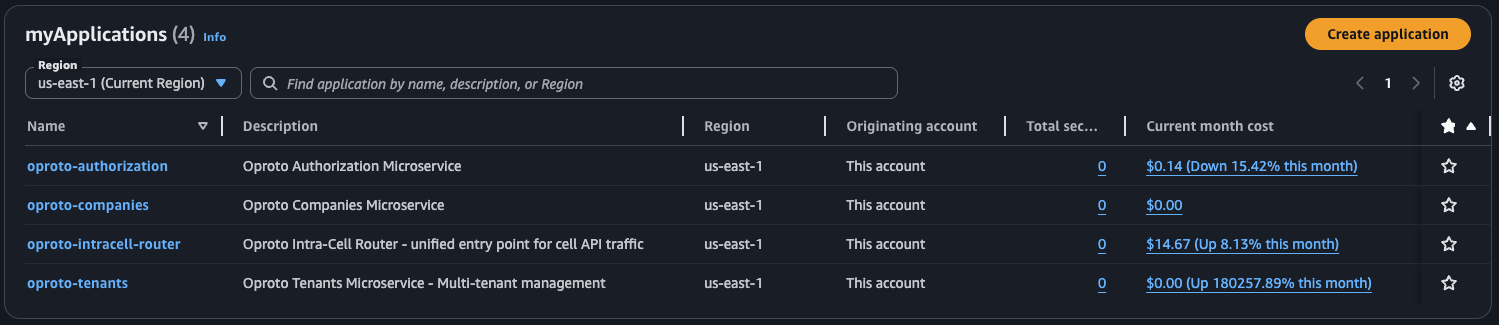
AWS myApplications is a useful idea: group all the resources for a service together, see them in one place, track costs per application. For a platform with 20+ microservices, that kind of visibility is exactly what you want.
The problem is that AWS built it for people who click buttons.
What myApplications Expects
The documented workflow goes something like this: open the console, create an application in Service Catalog AppRegistry, then "onboard" your CloudFormation stacks by clicking through a wizard. The wizard associates your stacks with the application and tags your resources.
That's fine if you have one application and deploy through the console. It doesn't work when you have 20+ microservices, each with multiple CDK stacks, deployed through CI/CD pipelines across multiple AWS accounts. You're not going to manually onboard stacks every time you add a service.
So we set out to automate it with CDK. It took several days of trial and error.
Everything That Didn't Work
Before I explain what works, here's what we tried and why it failed. This is the part that would have saved us days if someone had written it down.
The Alpha Construct
AWS provides an alpha CDK construct for AppRegistry. The natural approach:
var app = new Application(this, "MyApp", new ApplicationProps { ... });
app.AssociateApplicationWithStack(this);
This creates the application and associates the stack. Sounds perfect. Except when you open myApplications in the console, you get an "onboard application" prompt instead of seeing your resources. The association is structural (CloudFormation knows about it) but myApplications doesn't recognize it as onboarded.
L1 CfnResourceAssociation
Dropping down to the L1 construct to associate stacks manually:
new CfnResourceAssociation(this, "StackAssociation", new CfnResourceAssociationProps { ... });
Same result. The association exists in CloudFormation, but myApplications still shows the onboard prompt.
Tags.Of(this).Add() on the Stack
The myApplications documentation mentions that resources need an awsApplication tag. So we tried CDK's built-in tagging:
Tags.Of(this).Add("awsApplication", cfnApp.AttrApplicationTagValue);
This tags everything in the stack, including the CfnApplication resource itself. The problem: CfnApplication rejects Fn::GetAtt tokens in its own tag values. The deployment fails.
Tags.Of(this).Add() with ExcludeResourceTypes
The obvious fix: exclude the CfnApplication from tagging:
Tags.Of(this).Add("awsApplication", cfnApp.AttrApplicationTagValue,
    new TagProps { ExcludeResourceTypes = new[] { "AWS::ServiceCatalogAppRegistry::Application" } });
This should work. It doesn't. CDK's aspect-based tag filtering is broken for this use case. The excluded types still get tagged.
AwsCustomResource Calling the API Directly
We tried using a custom resource to call the AssociateResource API with APPLY_APPLICATION_TAG:
new AwsCustomResource(this, "AssociateResource", new AwsCustomResourceProps { ... });
This requires resource-groups:GetGroup IAM permission, which isn't typically available in deployment roles and adds complexity to your permission model.
What Actually Works: Direct Resource Tagging
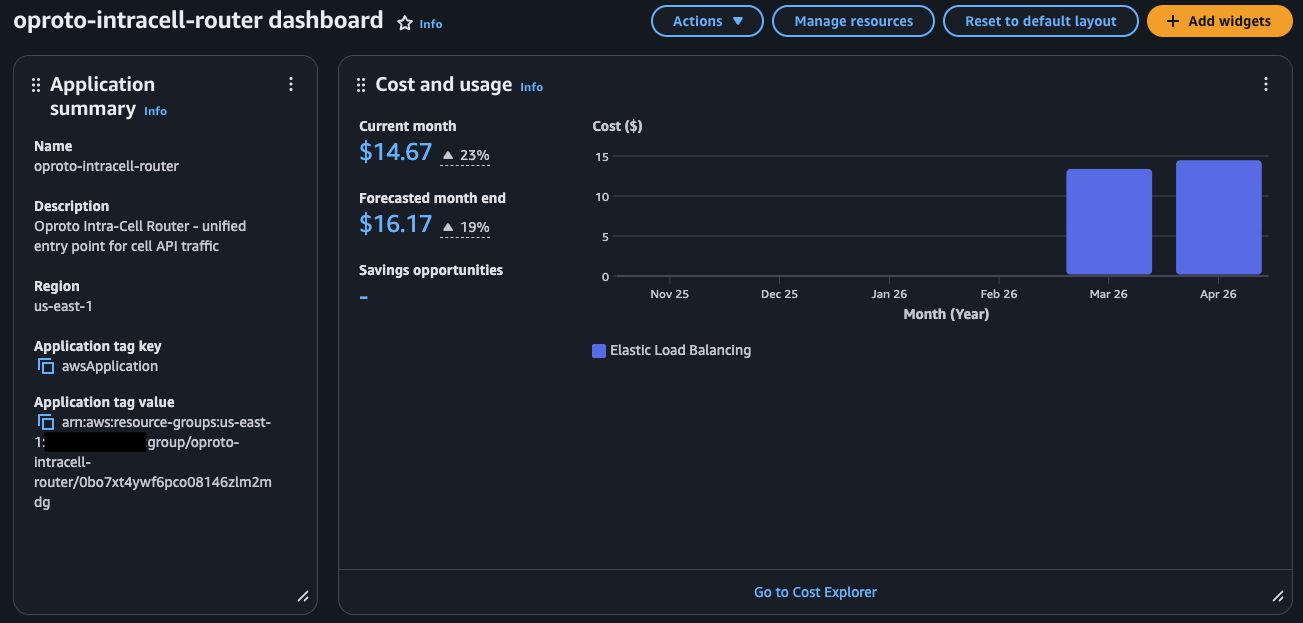
After exhausting the documented approaches, we found that the only reliable method is tagging individual resources directly with the awsApplication tag. No stack association needed. Just the tag.
The key insight: myApplications doesn't care about stack associations. It only looks at the awsApplication tag on individual resources.
The Pattern
Most CDK projects split infrastructure across multiple stacks. In our case, each microservice has a persistent stack (DynamoDB tables, queues, things you don't tear down) and an application stack (Lambda functions, API Gateway, things that get redeployed frequently). The AppRegistry application lives in the persistent stack because it should outlive any individual deployment.
The persistent stack creates the AppRegistry application and tags its own resources:
// Create the application using the L1 construct (not the alpha)
var cfnApp = new CfnApplication(this, "AppRegistryApplication", new CfnApplicationProps
{
    Name = "my-service",
    Description = "My Service - description here"
});

// Tag all resources in this stack
AppRegistryTagging.TagAllResources(this, cfnApp.AttrApplicationTagValue);

// Export the tag value for other stacks via SSM
new StringParameter(this, "AppRegistryTagValue", new StringParameterProps
{
    ParameterName = "/MyService/AppRegistry/ApplicationTagValue",
    StringValue = cfnApp.AttrApplicationTagValue
});
The application stack reads the tag value from SSM and tags its resources:
var appTagValue = StringParameter.ValueForTypedStringParameterV2(
    this, "/MyService/AppRegistry/ApplicationTagValue");

AppRegistryTagging.TagAllResources(this, appTagValue);
The reason for putting the CfnApplication in the persistent stack is simple: you don't want your application registration to disappear because someone redeployed the compute layer. DynamoDB tables, SQS queues, and the AppRegistry application all share the same lifecycle.
The Tagging Utility
Because some resource types reject dynamic tag values, we built a utility that walks the construct tree and tags each resource individually, skipping known problem types:
public static class AppRegistryTagging
{
    private static readonly HashSet<string> DefaultExcludedResourceTypes = new()
    {
        "AWS::ServiceCatalogAppRegistry::Application",
        "AWS::ApiGateway::DomainNameV2"
    };

    public static void TagAllResources(Stack stack, string appTagValue,
        IEnumerable<string>? additionalExclusions = null)
    {
        var excluded = new HashSet<string>(DefaultExcludedResourceTypes);
        if (additionalExclusions != null)
            foreach (var exclusion in additionalExclusions)
                excluded.Add(exclusion);

        foreach (var child in stack.Node.FindAll())
        {
            if (child is CfnResource cfnResource
                && TagManager.IsTaggable(child)
                && !excluded.Contains(cfnResource.CfnResourceType))
            {
                TagManager.Of(child)?.SetTag("awsApplication", appTagValue);
            }
        }
    }
}
This handles the two main edge cases:
CfnApplicationrejectsFn::GetAtttokens in its own tags (same-stack issue)ApiGateway::DomainNameV2rejects SSM dynamic references in tag values (cross-stack issue)
The additionalExclusions parameter lets individual services add more types if they hit new ones. We package this as a shared construct so every microservice gets the same behavior.
Why Same-Stack and Cross-Stack Tagging Differ
In the persistent stack, cfnApp.AttrApplicationTagValue is a same-stack Fn::GetAtt token. CloudFormation resolves it natively during deployment.
In the application stack, the tag value comes from SSM via ValueForTypedStringParameterV2, which generates a {{resolve:ssm:...}} dynamic reference. Most resource types accept this, but some don't. That's why the exclusion list exists and why it might grow over time as you add new resource types to your stacks.
SCP Requirements
If you're running AWS Organizations with Service Control Policies, you'll need to allow several actions for myApplications to work:
{
  "Effect": "Allow",
  "Action": [
    "servicecatalog:CreateApplication",
    "servicecatalog:UpdateApplication",
    "servicecatalog:DeleteApplication",
    "servicecatalog:TagResource",
    "servicecatalog:SyncResource",
    "resource-explorer-2:*",
    "ce:*",
    "cost-optimization-hub:*"
  ],
  "Resource": "*"
}
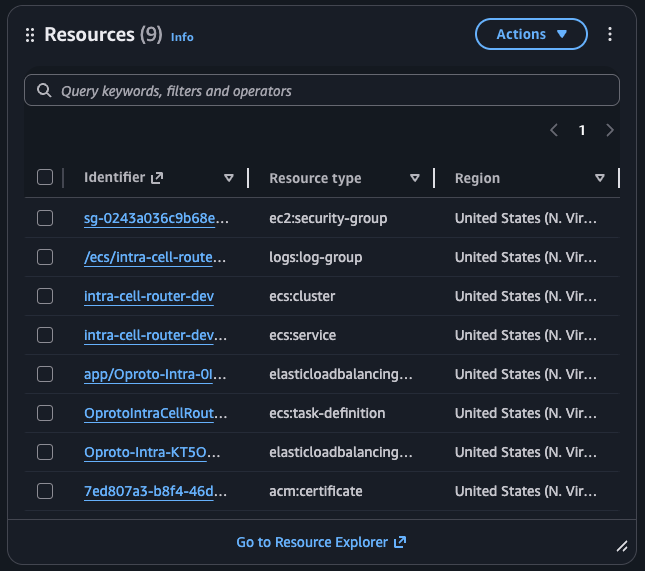
You'll also need Resource Explorer enabled in each account/region (aws resource-explorer-2 create-index --type LOCAL) for the Resources widget to populate.
The Broader Pattern
The gap between "works in the console" and "works in a CI/CD pipeline" cost us several days on this one. myApplications clearly assumes console onboarding, and the IaC path required reverse-engineering what the console wizard actually does under the hood (tag resources, skip associations).
If you hit an AWS feature that seems to require console interaction, the answer is usually somewhere in the L1 constructs and resource tagging. The alpha and L2 constructs often don't cover the full picture.