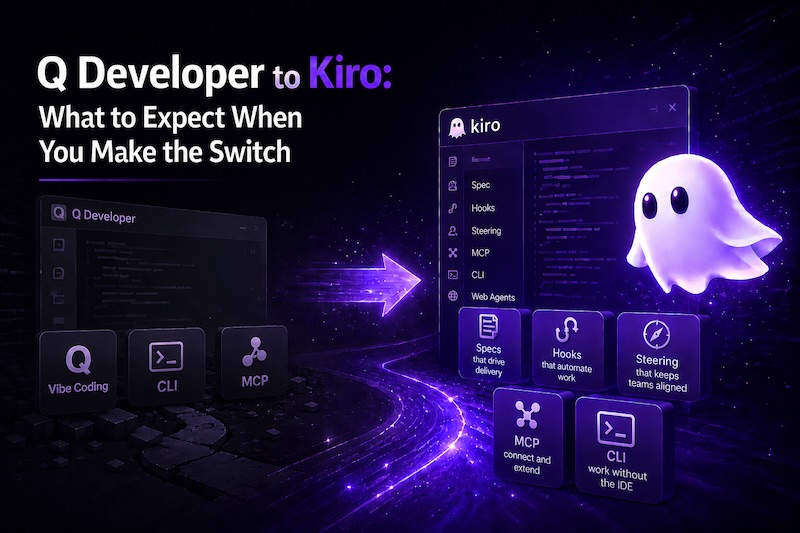
The Writing Was on the Wall
Q Developer IDE plugins end support April 2027. Kiro is the replacement, not a rebrand. It's a full IDE with spec-driven development, steering files, and agent workflows. Separate subscription required. JetBrains/Eclipse/Visual Studio plugins are gone, no replacement planned. If you're on VS Code already, the switch is painless.
On April 30, 2026, AWS announced that Amazon Q Developer IDE plugins will reach end of support on April 30, 2027. New signups are blocked as of May 15, 2026. The replacement: Kiro, Amazon's agentic development environment.
If you've been paying attention, this wasn't a surprise. The signals were there for months:
- The Q CLI was quietly renamed to Kiro CLI
- AWS Console screens that referenced Q Developer were rebranded to Kiro
- The JetBrains plugin had been effectively unmaintained for the last six months, with known bugs going unaddressed
The manpower shift had clearly already happened. The announcement just made it official.
What Q Developer Was
For those who came in late: Q Developer was Amazon's AI coding assistant. It lived as plugins in VS Code, JetBrains, Eclipse, and Visual Studio. It offered code generation, inline completions, chat-based guidance, and some AWS-specific features like code transformation and security scanning.
It was fine. Not bad, not great. The inline completions were useful, the chat was capable, and the AWS integration was a nice differentiator over Copilot for teams already on AWS.
What Kiro Actually Is
Kiro isn't a rebrand. It's a fundamentally different product philosophy.
Q Developer was a plugin that bolted AI onto your existing IDE. Kiro is a purpose-built IDE (based on VS Code, so it's familiar) where AI is the core workflow, not an add-on.
The key differences:
- Specs - structured requirements that drive implementation end-to-end, not just one-off prompts
- Steering files - persistent project-level context that shapes every AI interaction (your architecture decisions, conventions, constraints)
- Hooks - automated triggers on file saves, tool use, or other events that enforce standards without manual intervention
- Agent autonomy modes - autopilot (let it work) or supervised (approve each change)
- Custom subagents - specialized agents for domain-specific tasks
- Powers - composable capability modules via MCP (Model Context Protocol)
It's powered by Anthropic's Claude models. Claude Sonnet handles most tasks, Claude Opus for complex work. There are also free-tier LLM options available, but I honestly just leave it on Claude Opus all the time.
If you're coming from Cursor, the comparison is worth noting: both are VS Code-based AI IDEs, but Kiro's differentiator is the spec-driven workflow and the deep AWS integration. Cursor is prompt-and-respond. Kiro is plan-and-execute.
That said, the competitive landscape has shifted. Cursor has added "Rules" (their version of steering files) and there are community efforts to replicate Kiro's spec workflow inside Cursor. Kiro's advantage remains the integrated spec-to-implementation pipeline, which aren't easily replicated with rules files alone.
The Big Change: IDE Plugins Are Gone
This is the part that matters most practically. The Q Developer plugins for JetBrains, Eclipse, and Visual Studio are going away. Your options going forward are:
- Kiro IDE - the full experience with specs, hooks, steering, and agent workflows
- Kiro CLI - terminal-based AI assistance
That's it. If you were a JetBrains user, you're either switching to Kiro's VS Code-based IDE or using the CLI.
The JetBrains plugin had been deteriorating for months before the announcement. Basic functionality like resolving the project working directory was broken, and reported issues went unaddressed. The engineering effort had already moved to Kiro.
Q Developer vs Kiro at a Glance
| Q Developer | Kiro | |
|---|---|---|
| What is it | Plugin for existing IDEs | Standalone IDE (VS Code-based) |
| IDE support | VS Code, JetBrains, Eclipse, Visual Studio | Kiro IDE only (+ CLI) |
| AI workflow | Prompt-and-respond, inline completions | Spec-driven, agent-based |
| Project context | Rules / Memory Bank (added late, limited) | Steering files, persistent context |
| Automation | None | Hooks (file save, tool use, task events) |
| Models | Claude Opus 4.5 and older | Claude Opus 4.7, Sonnet, free-tier options |
| Subscription | Q Developer Pro | Separate Kiro subscription |
| Status | EOL April 2027 | Active development (pre-1.0) |
What Carries Over
- The CLI - already renamed, mostly the same commands. They recently shipped CLI v2 with significant updates.
- AWS authentication and integration - your existing AWS credentials and SSO setup work with Kiro
- Basic AI capabilities - code generation, chat, and agent-driven development are all there
- Your muscle memory - if you were using VS Code with Q Developer, Kiro will feel immediately familiar since it's built on the same foundation
What does not carry over: your subscription. Kiro requires its own subscription, separate from Q Developer. This means during the transition period you could be paying for both if you don't cancel Q Developer. Plan accordingly.
What's Different (and Better)
The spec workflow is the real differentiator. Instead of prompting the AI one question at a time and hoping it maintains context, you define what you want to build in a structured spec. Kiro then plans the implementation, breaks it into tasks, and executes them with full awareness of your codebase.
A spec's task list can be dozens of items. In autopilot mode, I regularly kick off a full spec and walk away. Kiro works through the tasks sequentially, building out complete features over multi-hour periods with minimal intervention. Occasionally it prompts for permission to run a tool, but otherwise it's hands-off. They recently added parallel task execution in v0.12.155, which cuts completion time significantly when tasks don't depend on each other.
This is the fundamental difference from Q Developer or Cursor. Those tools help you write code faster. Kiro builds features while you do something else.
Steering files are the other game-changer. Q Developer did add "Rules" and a "Memory Bank" feature late in its life, but they were bolted on and limited compared to what Kiro offers. In Kiro, you configure project-level context once (your architecture patterns, coding standards, preferred libraries, deployment conventions) and every AI interaction respects those constraints automatically.
Hooks let you automate quality gates. Run linting on every file save. Enforce security review before any write operation. Run tests after completing a spec task. It's CI/CD thinking applied to the AI development loop.
What You Lose
Let's be direct about the tradeoffs:
- JetBrains users lose their IDE choice. If you're deeply invested in IntelliJ/Rider, switching to a VS Code-based editor is a real adjustment. I moved from Rider to Kiro and immediately lost the built-in .NET IntelliSense support. Microsoft's official C# extensions aren't available to VS Code forks, so I eventually settled on DotRush to fill that gap. It works, but it's not Rider. Users of other languages may hit similar gaps with extensions that don't support forks.
- Eclipse and Visual Studio users, same story. Though honestly, the Q Developer experience in those IDEs was never as polished as VS Code anyway.
- Inline completions may not be what you expect. Kiro is more agent-oriented than autocomplete-oriented. If you relied heavily on Q Developer's inline suggestions as you type, that workflow is different here. I do far less manual coding than I used to, so I rarely notice, but it's worth calling out.
- The spec workflow has a learning curve. It's worth it, but if you just want "autocomplete but smarter," the first few days will feel like overhead until it clicks.
- Kiro is still pre-1.0. It's constantly evolving, which means new features land regularly but you'll also hit rough edges. It's not a finished product, it's an actively developed one.
The Timeline
- May 15, 2026 - No new Q Developer signups or subscriptions
- May 29, 2026 - Opus 4.6 removed from Q Developer Pro (latest models exclusive to Kiro)
- April 30, 2027 - Full end of support for Q Developer IDE plugins
You have 12 months. But the model availability changes in May mean the best AI experience is already Kiro-only. And remember: Kiro is a separate subscription, so don't wait until the last minute to sort out billing.
My Take
I've been using Kiro since July 2025, almost a full year now, and I'm not going back. The spec workflow fundamentally changed how I approach feature development. Instead of having a conversation with an AI and hoping it remembers context from three prompts ago, I define what I want, let it plan, and review the output.
For solo developers or small teams, the productivity gain is significant. For larger teams, the steering files and hooks are what matter. They let you encode your architecture decisions and standards in a way that every AI interaction respects, across every developer on the team.
The transition from Q Developer is straightforward if you were already on VS Code. If you're coming from JetBrains, budget a week to get comfortable with the editor differences. The AI capabilities will more than make up for it.
Getting Started
- Download Kiro at kiro.dev
- Check the migration guide for your specific IDE
- First thing to set up: a steering file in
.kiro/steering/with your project's conventions - Try the spec workflow on your next feature, even a small one
If you want to see how I use Kiro's advanced features across a large microservice platform, I wrote about that in Building at Scale with Kiro.