Another AI Coding Tool?
There are a lot of AI coding tools right now. GitHub Copilot, Cursor, Windsurf, the late Q Developer. They all generate code for you. You can vibe-code a feature in Cursor or one-shot a whole file in Windsurf. That works.
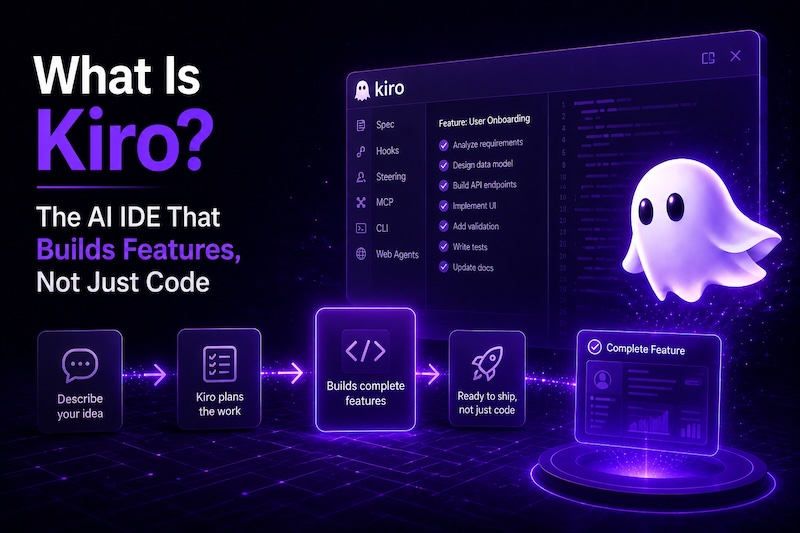
Kiro is also a VS Code fork, and it also generates code. The difference is in how the work is structured. Instead of a chat session where you prompt, review, prompt again, and hope the AI remembers what you said three messages ago, Kiro works from a spec: a structured plan with requirements, design decisions, and a task list it executes autonomously.
Where Did Kiro Come From?
Kiro started as a small internal project at Amazon, built by what they call a "two-pizza team." It launched as an early preview in mid-2025 and the interest was immediate, more than the team was prepared for. Signups had to be limited, daily usage caps were imposed, and the infrastructure scrambled to keep up for months.
The pricing rollout was rough. The initial paid plan was confusing and the community pushed back hard. Amazon reworked it within weeks. There was also a brief period where Kiro appeared bundled with Q Developer Pro, with matching limits and shared access. That disappeared from their site quickly, and now the relationship has fully inverted: Q Developer is being sunset and Kiro is the successor.
It's been a messy first year from the outside. But the product itself has improved steadily through all of it, and the team ships updates constantly. The chaos was a scaling problem, not a product problem.
The Basics
The editor is familiar if you've used VS Code or any of its forks. Extensions, keybindings, themes, terminal all carry over.
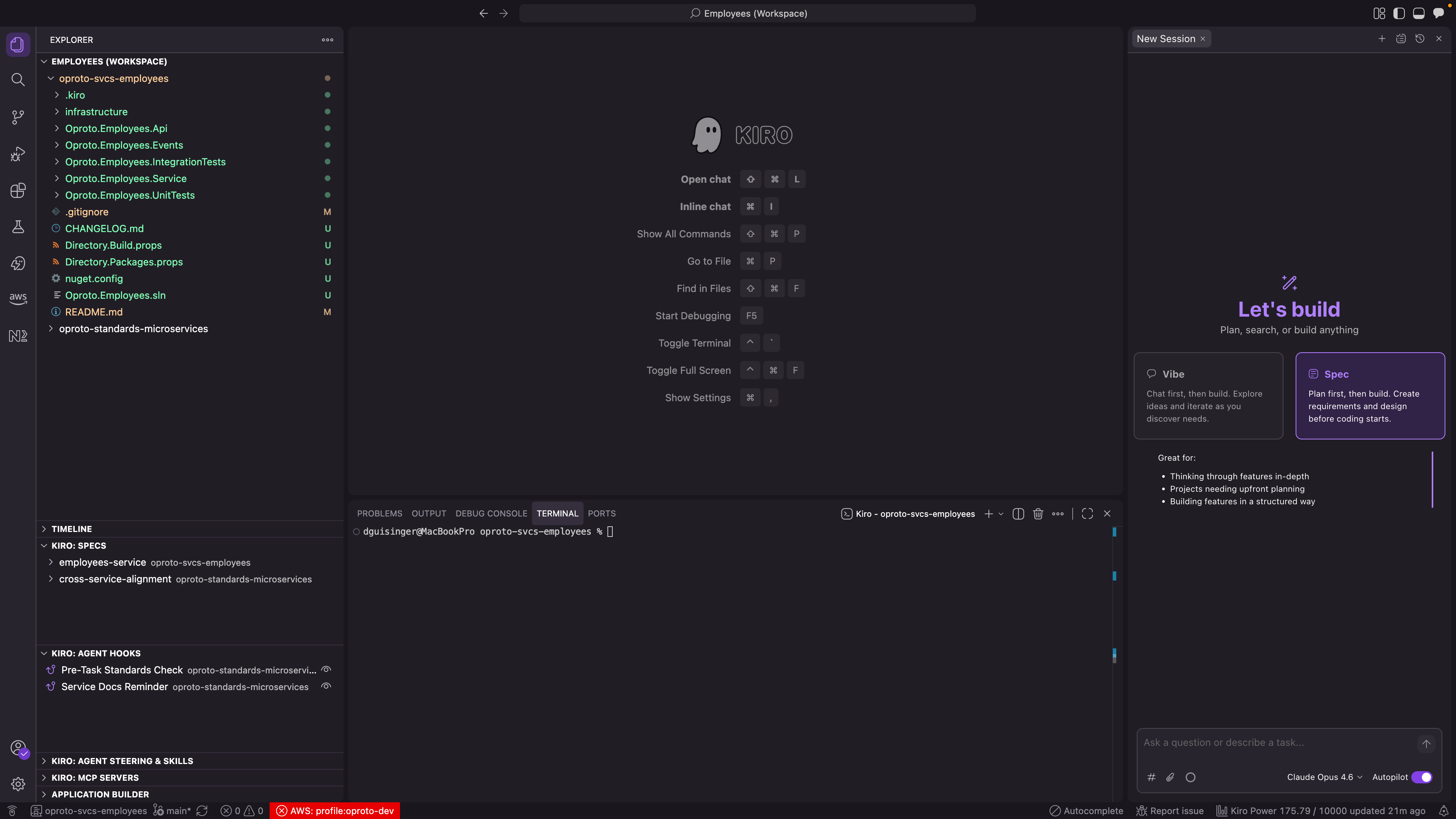
What's different is what sits on top:
- An AI agent that reads your codebase, plans changes, and executes them
- A spec system for defining features as structured requirements
- Steering files that give the AI persistent context about your project
- Hooks that automate actions based on events (file saves, tool use, task completion)
- Autonomy modes that let you choose how much control to hand over
It's powered primarily by Anthropic's Claude models. Claude Sonnet for routine tasks, Claude Opus for complex work. There are free-tier model options available too, but I run Opus for everything because the output quality means less time fixing things after the fact.
How It's Different from Copilot/Cursor
Honestly, the feature lists are converging. Copilot has agent mode now. Cursor has rules and multi-file editing. They can all generate code from prompts and work across files autonomously.
The difference with Kiro is structural:
Copilot and Cursor are conversation-driven. You prompt, the AI acts, you prompt again. Agent mode lets them chain actions together, but the starting point is still "do this thing I'm describing right now." Context resets between sessions.
Kiro is spec-driven. You define the feature upfront (requirements, design, constraints), it generates a task list, and executes those tasks in sequence or in parallel. The spec persists. The steering files persist. The AI has the full picture before it writes a single line.
The difference is most obvious on anything larger than a quick change. A feature that touches 8 files? In Cursor, that's a long chat session or a carefully worded mega-prompt. In Kiro, that's one spec execution that handles the whole thing, potentially over hours, without you sitting there.
The Two Modes
Kiro has two autonomy modes:
Autopilot - Kiro works through tasks without stopping. It reads files, writes code, runs commands, and moves to the next task. You can watch it work, interrupt it, or come back later and review everything it did. This is where the "build features while you do something else" workflow lives.
Supervised - Kiro pauses after each change and shows you exactly what it wants to do. You approve or reject individual changes. Good for learning how it works, or for sensitive code where you want eyes on every line.
I run autopilot for everything. For sensitive changes (auth, infrastructure, production configs), I verify the output in the chat UI or review the git diff before committing. Supervised mode exists if you want it, but I've never felt the need.
The Model Situation
Kiro supports multiple LLMs:
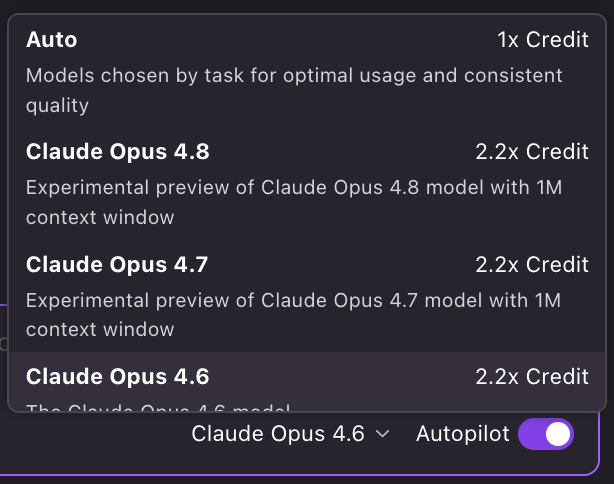
- Claude Opus - the most capable, what I use for everything
- Claude Sonnet - faster, cheaper, good for simpler tasks
- Free-tier models - available if you want to experiment without a subscription
You can switch models per-session. In practice, I set it to Opus and leave it there. The quality difference means I spend less time correcting mistakes, which more than offsets the cost.
What It Costs
Kiro has a free tier, but I'd skip it. The monthly limits can be burned through in minutes of real usage, and you're locked out of the higher-end models that make the experience worthwhile. If you want to actually evaluate Kiro, pay for a month of Kiro Pro. You can't judge the product on the free tier.
Current pricing (updated 6/11/2026):
| Plan | Credits | Price |
|---|---|---|
| Kiro Free | 50 | $0 |
| Kiro Pro | 1,000 | $20/mo |
| Kiro Pro+ | 2,000 | $40/mo |
| Kiro Pro Max | 5,000 | $100/mo |
| Kiro Power | 10,000 | $200/mo |
Kiro Pro Max is the new addition — same features as Pro+ and Power, just 5,000 credits at $100/month. This fills the gap that a lot of people complained about: Pro+ wasn't enough credits for serious daily use, but Power was overkill (and $200/month) if you weren't burning through 10,000 credits. Pro Max gives you a reasonable middle ground.
Overages are available on paid plans at $0.04 per credit, exactly 2x the cost of included credits. The paid plans all scale linearly at $0.02/credit with no volume discount, but that's still half the cost of overages. If you're consistently going over, upgrade the plan rather than paying overage rates. You can upgrade mid-month and they'll recalculate your usage against the new plan's limits. The opposite isn't true for downgrading though. You have to downgrade before your next billing cycle starts.
Watch out: Only upgrade mid-month if your overages justify it. If you jump from Pro to Power on the last day of the month, you're spending $180 on credits you won't have time to use. Also, prorated first months are only for first-time subscriptions. If you cancel and resubscribe later, you're charged for the full month regardless of when you sign back up.
It's a separate subscription from Q Developer (if you had that). Check kiro.dev for current pricing.
Is It Ready?
Kiro is pre-1.0 and actively evolving. New features ship regularly (parallel task execution just landed in v0.12.155). You will hit rough edges. Things will change between versions.
That said, I've been using it as my primary IDE since July 2025. It's stable enough for daily production work. The rough edges are in newer features, not in the core editing and agent experience.
What's Next in This Series
This post is the overview. The next posts in this series will go deeper on each major feature:
- Part 2: Steering Files - how to teach Kiro your codebase conventions
- Part 3: Specs - the full requirements-to-implementation workflow
- Part 4: Hooks - automating your development workflow
- Part 5: Powers and MCP - extending Kiro with external tools
Each one will be practical, with real examples from how I use these features across production projects.